
Close Menu
InclusiFund
    What's Hot

    Nigeria doubles capital requirements for digital asset firms

    January 23, 2026

    Zenith Bank enters Kenya with Paramount Bank acquisition

    January 23, 2026

    This small USB-C tool earns a permanent spot in my bag

    January 23, 2026
    Facebook X (Twitter) Instagram
    InclusiFund
    Facebook X (Twitter) Instagram
    • Home
    • Daily Brief
    • Dealflow Dashboard
    • Sectors
      • Agritech
      • Climate Tech
      • Fintech
      • Healthtech
      • Logistics
      • Mobility
      • SaaS / Enterprise
    • Tools
    • Reports
    • Opinion
    • Services
      • For Investors
      • For Founders
    • About Us
    • More
      • Disclaimer
      • Advertise With Us
      • Newsletter
      • Work With Us
      • Terms and Conditions
      • Privacy Policy
      • Contact Us
      • About Us
    InclusiFund
    Home»Tools»How to download Android 16 QPR3 Beta 2 on your Pixel right now
    Tools

    How to download Android 16 QPR3 Beta 2 on your Pixel right now

    ElanBy ElanJanuary 15, 2026No Comments3 Mins Read
    Facebook Twitter Pinterest LinkedIn Tumblr Reddit WhatsApp Email
    How to download Android 16 QPR3 Beta 2 on your Pixel right now
    Share
    Facebook Twitter LinkedIn Pinterest WhatsApp Email

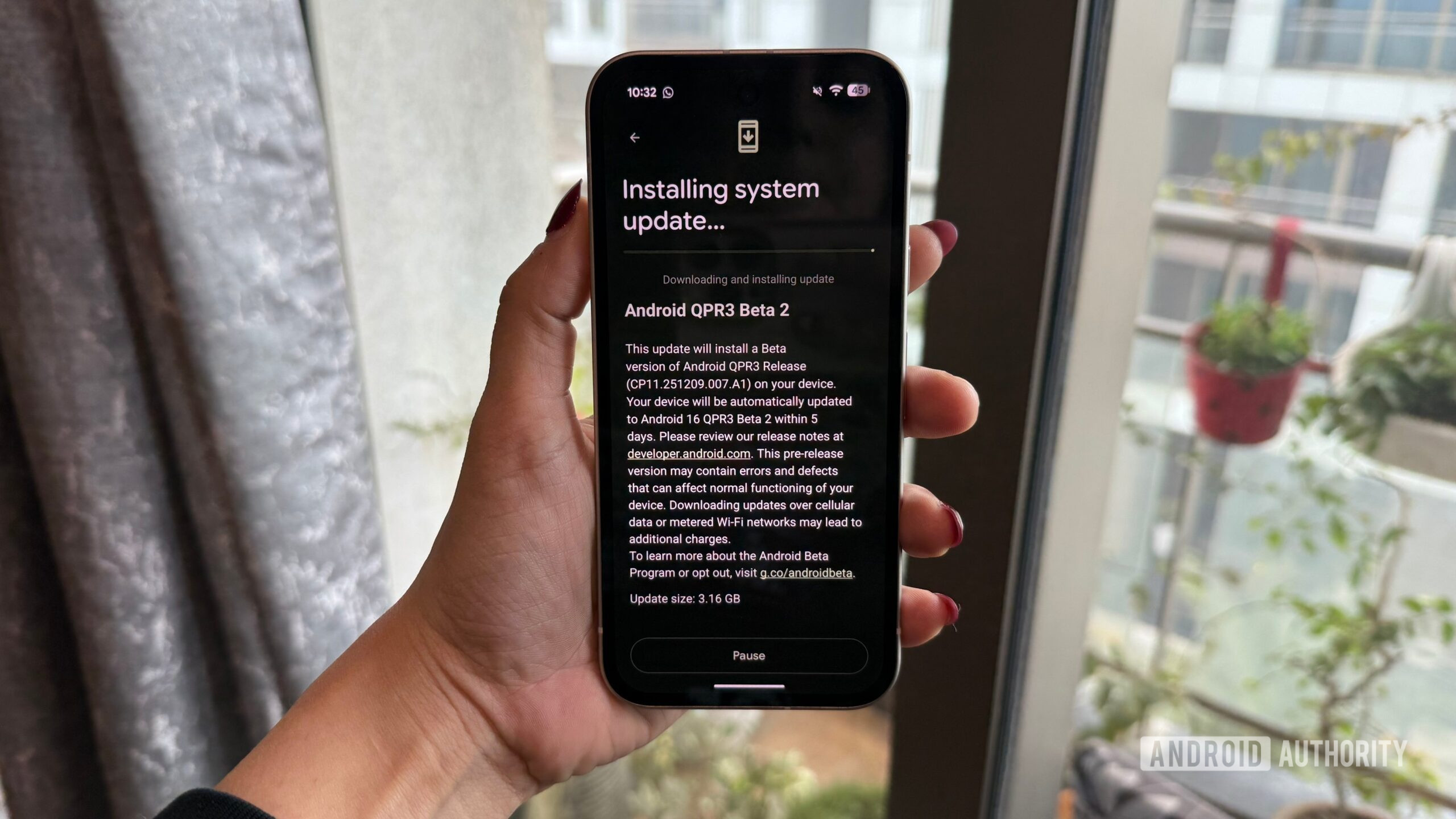
    Android 16 QPR3 Beta 2 Installing

    Adamya Sharma / Android Authority

    Google began the QPR3 beta program in December with the release of QPR3 Beta 1, and with QPR3 Beta 2, Google has squashed a ton of bugs to make this next Android update more stable and usable.

    Interested in downloading Android 16 QPR3 Beta 2 on your Pixel? Whether you’ve been using Beta 1 or are downloading QPR3 for the first time, here’s what you need to know.

    How to download Android 16 QPR3 Beta 2 if you already have Beta 1

    If you’re currently using Android 16 QPR3 Beta 1, updating to Beta 2 is as simple as downloading any other Android update. You may have already received a notification for the update, but if not, you can manually check for it by following these steps:

    1. Open the Settings app on your phone.
    2. Scroll down the page.
    3. Tap System.
    4. Tap Software updates.
    5. Tap System update.
    6. Tap Check for updates.

    Within a second or two, Android 16 QPR3 Beta 2 should appear. Follow the on-screen instructions to download and install it, and that’s all there is to it.

    How to download Android 16 QPR3 Beta 2 if you didn’t join Beta 1

    If you didn’t join Beta 1 last month, but you’re now interested in checking out Beta 2, it’s still relatively easy to download — you just have a few more steps to follow. First, you need to enroll your Pixel in Google’s beta program so you’re eligible to download Android 16 QPR3 Beta 2. Here’s how to do so.

    1. Open Google Chrome (or any web browser) and go to google.com/android/beta.
    2. Tap your profile icon in the top-right corner (log in to your account if you aren’t already).
    3. Scroll down the page until you find Your eligible devices.
    4. Tap Opt in next to the Pixel you want to download the beta onto.
    5. Scroll to agree to the terms of the beta.
    6. Tap Confirm and enroll.
    7. Tap OK.
    Android 16 QPR3 Beta 2 image

    Adamya Sharma / Android Authority

    With this done, your Pixel is enrolled in the beta program and should now be able to download Android 16 QPR3 Beta 2. You’ll follow the same steps above to check for a software update, which for reference, are as follows:

    1. Open the Settings app on your phone.
    2. Scroll down the page.
    3. Tap System.
    4. Tap Software updates.
    5. Tap System update.
    6. Tap Check for updates.

    It can sometimes take a couple of hours for Google to properly register your device in the beta, so if you don’t immediately see QPR3 Beta 2 as an available update, that’s OK. Come back later, follow the steps again to check for an update, and it should be there waiting for you.

    Don’t want to miss the best from Android Authority?

    google preferred source badge light@2xgoogle preferred source badge dark@2x

    Thank you for being part of our community. Read our Comment Policy before posting.

    Android Beta Download Pixel QPR3
    Elan
    • Website

    Related Posts

    This small USB-C tool earns a permanent spot in my bag

    January 23, 2026

    My favorite way to watch YouTube Shorts is on my TV

    January 22, 2026

    Rethinking “Pixel Perfect” Web Design — Smashing Magazine

    January 21, 2026
    Leave A Reply Cancel Reply

    Economy News
    Crypto

    Nigeria doubles capital requirements for digital asset firms

    By ElanJanuary 23, 20260

    Nigeria’s Securities and Exchange Commission has raised the minimum capital requirements (MCR) across the capital…

    Zenith Bank enters Kenya with Paramount Bank acquisition

    January 23, 2026

    This small USB-C tool earns a permanent spot in my bag

    January 23, 2026
    Top Trending
    Crypto

    Nigeria doubles capital requirements for digital asset firms

    By ElanJanuary 23, 20260

    Nigeria’s Securities and Exchange Commission has raised the minimum capital requirements (MCR)…

    Tech

    Zenith Bank enters Kenya with Paramount Bank acquisition

    By ElanJanuary 23, 20260

    Zenith Bank Nigeria PLC has finally received regulatory clearance from the Competition…

    Tools

    This small USB-C tool earns a permanent spot in my bag

    By ElanJanuary 23, 20260

    We are currently transitioning through a sort of dongle purgatory. While the…

    Your source for comprehensive insights on Africa’s private credit markets, InclusiFund synthesizes deal pipelines, repayment patterns, collateral trends, and sector-level signals to guide investors in underwriting and structuring credit in emerging African markets.

    We're social. Connect with us:

    our Categories
    • Work With Us
    • Advertise With Us
    • Contact Us
    • Disclaimer
    • Privacy Policy
    • Terms and Conditions

    Subscribe to Updates

    Get the latest creative news from FooBar about art, design and business.

    Facebook X (Twitter) Instagram Pinterest
    • Work With Us
    • Advertise With Us
    • Contact Us
    • Disclaimer
    • Privacy Policy
    • Terms and Conditions
    © 2025 Inclusifund. All Rights Reserved.

    Type above and press Enter to search. Press Esc to cancel.