

OpenAI has introduced a new Lockdown Mode in ChatGPT, designed to limit some features in exchange for stronger security controls. The company says most users do not need to enable it.
Lockdown Mode is aimed at people facing elevated digital risk, including journalists, activists, and users working in sensitive environments. It reduces how much ChatGPT can access, execute, or retrieve outside of the app.
What Lockdown Mode in ChatGPT changes?
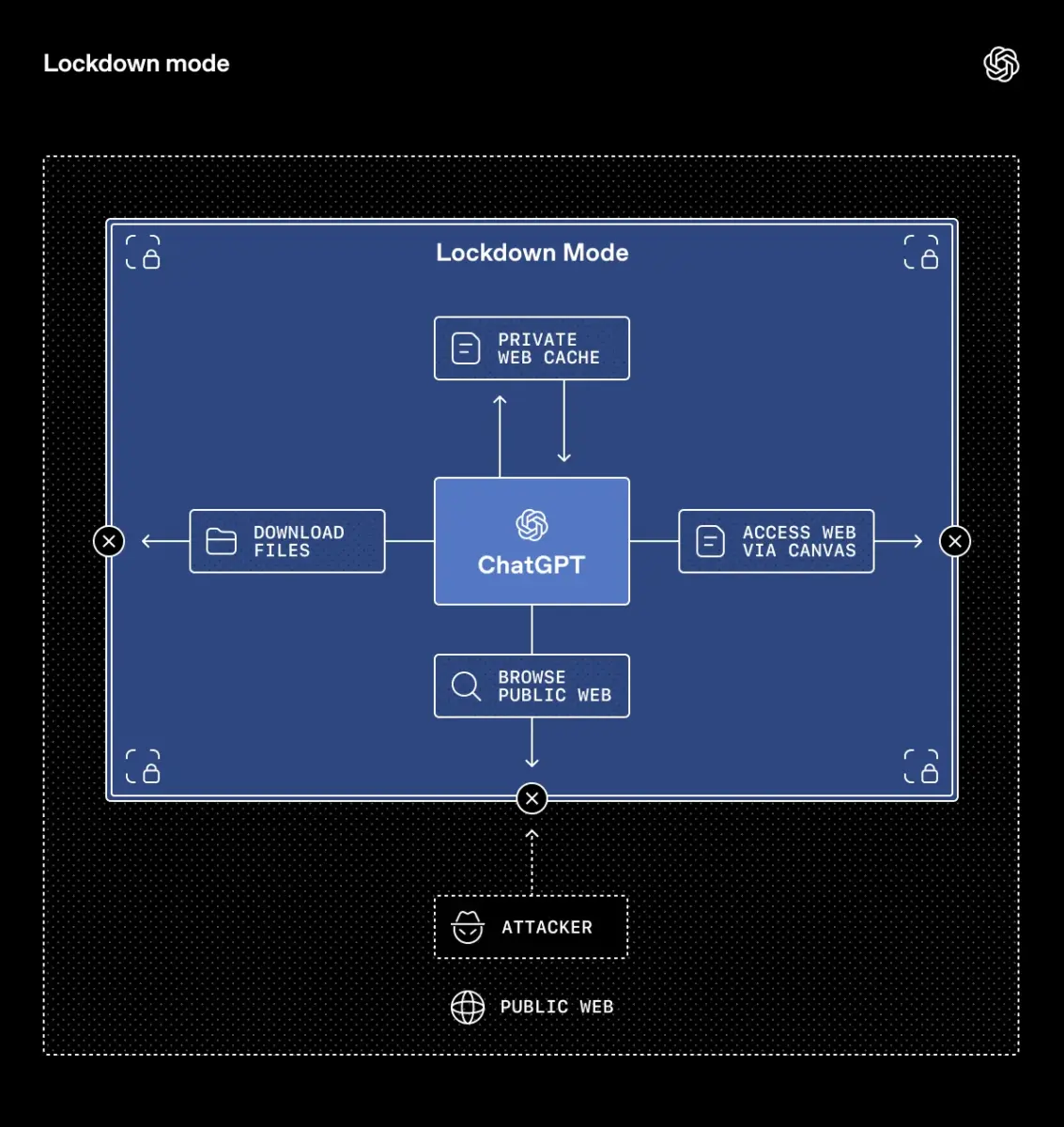
When enabled, Lockdown Mode in ChatGPT restricts several capabilities.
- Web browsing is limited to cached content. ChatGPT cannot pull live information from the internet, reducing the risk of unintended data exposure. The tradeoff is that search results may be outdated or incomplete.
- Deep Research is fully disabled. Agent Mode, which enables more autonomous actions, is also unavailable.
- Image handling is tightened. ChatGPT cannot include images in its responses. Users can still upload images and use image generation tools.
- Network and file behavior is also restricted:
- Canvas-generated code cannot access the network
- ChatGPT cannot download files for analysis
- Only manually uploaded files can be processed
These measures reduce the system’s external reach and automation capabilities.
Who can enable Lockdown Mode?

Lockdown Mode is currently available to:
- ChatGPT Enterprise
- ChatGPT Edu
- ChatGPT for Healthcare
- ChatGPT for Teachers
In organizational environments, Lockdown Mode is managed at the workspace level. Administrators can create a custom role for it and assign it to selected users.
OpenAI says (without a timeline) the feature will expand to consumer and team plans in the coming months.
Should you turn ChatGPT Lockdown Mode on?
For most users, the answer is no.
Lockdown Mode disables several important features, including Deep Research and live web access. If you rely on up-to-date information, advanced workflows, or multi-step research tools, enabling it will limit your productivity.
Users operating in high-risk environments may benefit from the reduced attack surface. In those cases, you may benefit from it,
If you are on an eligible plan and considering enabling it:
- Confirm whether your work involves handling sensitive material.
- Identify which disabled features you actively use.
- Test the workflow impact before applying it broadly across a workspace.
There is no information that standard ChatGPT accounts are much less secure without Lockdown Mode. But you have to understand that OpenAI is not a blockchain-based company.
So whether this tradeoff makes sense depends on your threat model and whether you work in a very sensitive industry.

