

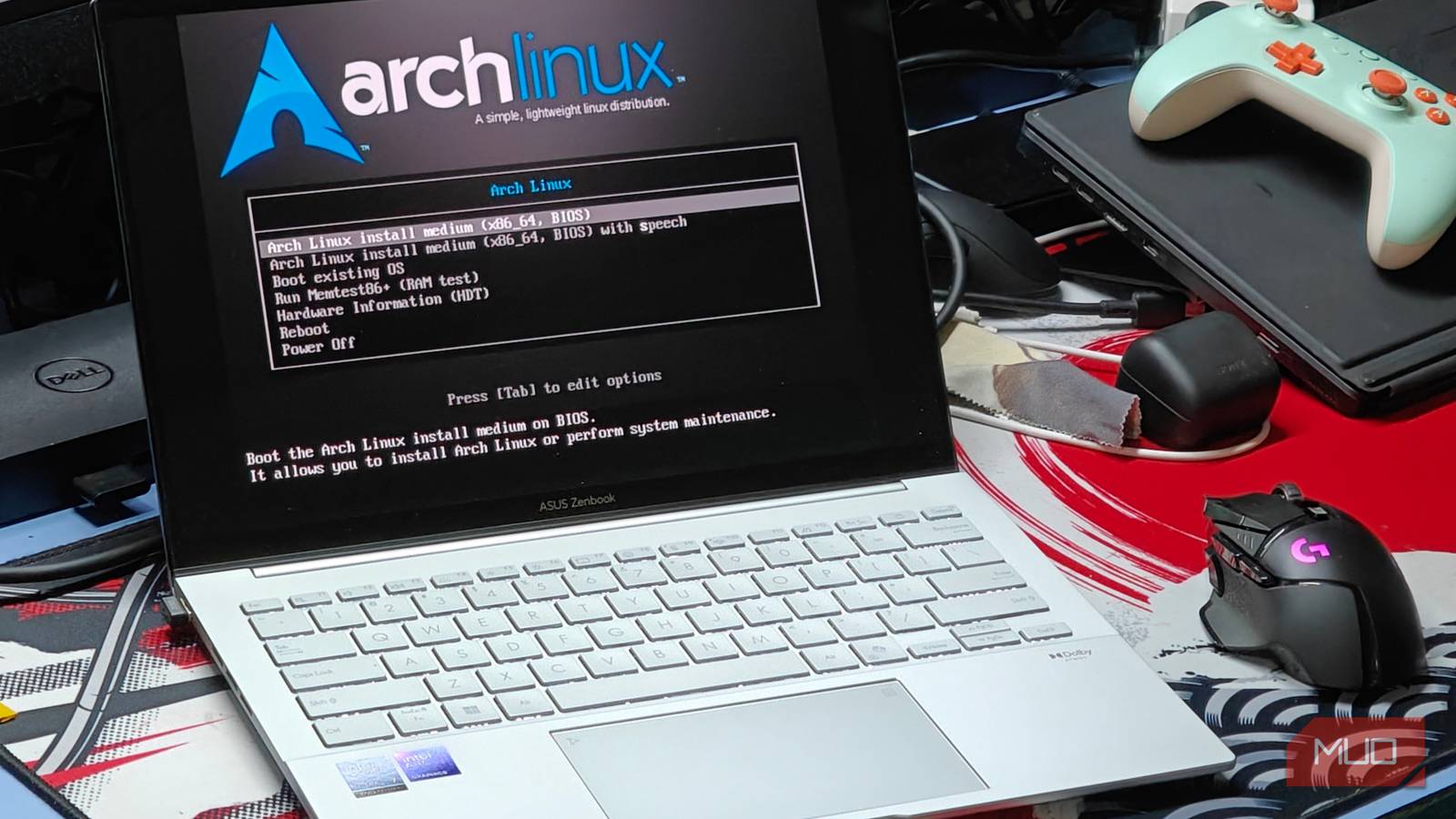
As you can tell from my author bio, I’ve been a PC owner for around 15 years and have owned several builds. However, I’ve always stayed on the Windows platform, and switching to Linux has never crossed my mind until now. Linux is amazing — you get better gaming performance, less bloat, and better system responsiveness than Windows, and the recent surge in popularity is tempting me to make the shift.
Unfortunately, I may not be able to do so because even with all this progress, Linux still lacks some essential features available on Windows that are non-negotiable to me. Even with all the distro options, the problems I face are universal, and none of them seems to solve them fully.
Using Linux made me appreciate these 5 Windows features
Using Linux reminded me how Windows quietly excels at drivers, settings, apps, and gaming without demanding constant tinkering.
Apps I rely on daily don’t exist on Linux
Even Wine falls short in certain instances

Since starting my journalism career, my PC usage has changed drastically. Before, it was about ensuring maximum game performance and whatnot, but now, I focus on productivity and efficiency above all. I have downloaded several productivity tools on Windows that I rely on to automate my mundane tasks.
Moving to Linux for the first time, you’ll notice that most of these programs aren’t available. Now, I know that compatibility has been the biggest issue for Linux users since the dawn of time, and I will agree that compatibility has increased significantly, but it’s just not there yet. Mainstream programs like Adobe CC and Office 365 are not natively available on Linux. These programs are a necessity for me as a writer, and the gap is hard to overlook.
While Wine can help enable a compatibility layer on Linux to run Windows software, the end result isn’t the same — Adobe CC and Office 365 are tied to Windows-specific services like DRM, cloud syncing, etc., and more often than not, these apps won’t work or will randomly crash. Furthermore, the bugs, inconsistent performance, and other technical issues will make a new user like me overwhelmed.
Hardware support is a major issue
Your peripherals and hardware may not be so cooperative with Linux

Forget software; hardware compatibility is an even bigger issue on Linux. On newer hardware, installing Linux is an inconvenience. While Linux’s support for your hardware depends on the distro, you’ll most likely encounter errors on laptops due to architecture and hardware incompatibility. Settings such as fan curves, battery optimizations, and RGB settings are configured in Windows, and enabling them on Linux requires a workaround.
Also, some hardware manufacturers and vendors don’t really support Linux. For example, a Wi-Fi module may not work on Linux due to the manufacturer’s end, in which case it’s up to the community to reverse-engineer it to make it work, and that’s a hassle if it even gets to work in the first place, that is.
Not to mention that running peripherals can also be challenging, since there is no support for proprietary software like Razer Synapse, G Hub, etc. External hardware is generally supported, but running it most of the time on Linux gives you a far from ideal experience since you will be missing out on the full feature set.
Kernel-level anti-cheat locks me out of my favorite games
League of Legends is off the table

Gaming is great on Linux compared to Windows, and thanks to Steam’s Proton, the majority of Windows games are playable on the platform with much better performance. Windows 11 is so bloated that most of your system resources are consumed by the OS, whereas Linux has lower OS overhead due to fewer background processes and lower system load. For single-player titles, Linux is heaven for gamers, but it falls short in certain multiplayer games.
There’s a large catalog of competitive multiplayer games that can’t be played on Linux, and that’s not a hardware flaw, since most anti-cheat systems like BattleEye, EAC, and others were built around Windows, and games that require them to run at the kernel level make them incompatible with Linux’s open-ended architecture.
Nvidia and Linux don’t get along
Both of their philosophies are conflicting

Linux and Nvidia’s ideologies have always opposed each other: one roots for open-source, while the other gatekeeps everything. They’re more like oil and water at this point, and the result is that Nvidia GPU support on Linux is subpar. Nvidia operates on a closed-source model, and since Linux isn’t its priority, driver releases on the platform are often delayed and generally just broken with tons of bugs and other errors.
Starting with the RTX 20-series, Nvidia began open-sourcing the kernel modules for its GPUs, but firmware and user-space drivers remain closed. Also, for the RTX 20-series and RTX 30-series, this implementation was at an alpha stage, and a true, meaningful transition only started with the RTX 40-series. This certainly makes things easier for developers to fix the drivers, but the support is still lacking and nowhere near that of AMD and Intel. The result is that, most of the time, on newer GPUs you’ll have an agonizing experience due to poor performance and bugs.
Streaming services seem to ignore Linux
No native apps, and the resolution limitation to 1080p is rough
Streaming services don’t like Linux, and if you’re thinking of watching your favorite Netflix movie or Amazon Prime TV show on the platform, gear up for disappointment. Since there’s no native app support for Netflix, Prime Video, and other streaming services, you’re stuck using the browser.
If you don’t already know, streaming on browsers limits you to just 1080p due to the DRM implementation, and with all the detail loss from compression, the result on a good display looks disappointing. Streaming services like Netflix, Prime Video, and others also use DRM (Digital Rights Management), and bypassing them is practically impossible.
HDR works — until it doesn’t
Troubleshooting hotbed

HDR works wonders, and ever since enabling it on my OLED display for gaming and streaming, I haven’t been able to go back. Windows’ HDR support is system-wide — across video games and normal desktop use like browsing. However, for Linux, implementation varies a lot. HDR has only become functional on Linux in recent times, but the proper functionality is still lacking.
HDR is impossible on X11 due to the 8-bit color depth and is only available on Wayland. You can enable HDR in games either through GNOME or KDE Plasma, and the best way to enable it in-game is through Gamescope through Proton. That said, HDR isn’t guaranteed to run this way, and you’ll often encounter problems like washed-out color, abnormal brightness/gamma/contrast, and, on some titles, the display won’t work at all.
Even for HDR in browsing, the experience is inconsistent since HDR works on several levels rather than a single unit — over the layers of browser, website, DRM, GPU, Wayland, and monitor, which is why if either falls, then so do all. The display would then fall out to SDR, crash, or just never work. The thing is, you can make HDR work on Linux, but doing so is exhausting and isn’t as simple as toggling and enabling. Not to mention that VRR also encounters problems, since HDMI 2.1 currently does not work with AMD GPUs on Linux.
Linux’s freedom comes at a productivity cost
Linux gives users freedom, and the same pro becomes its downfall at times. I do appreciate the liberty to customize the OS to my liking, but this extra work makes me less productive as a new user, and the lack of compatibility holds me back from peak efficiency. Now, I do understand that the Linux community has workarounds for most of these issues, but they are impractical for me. All these features I mentioned above in this article are essential to my workflow, and switching to Linux from Windows seems like a change I’d be spending half the time fixing, and that’s a wall I’m not ready to climb. Not yet.

- OS
-
Linux
- Price model
-
Free
Wine is a free, open-source compatibility layer that lets you run Windows apps on Linux.
