

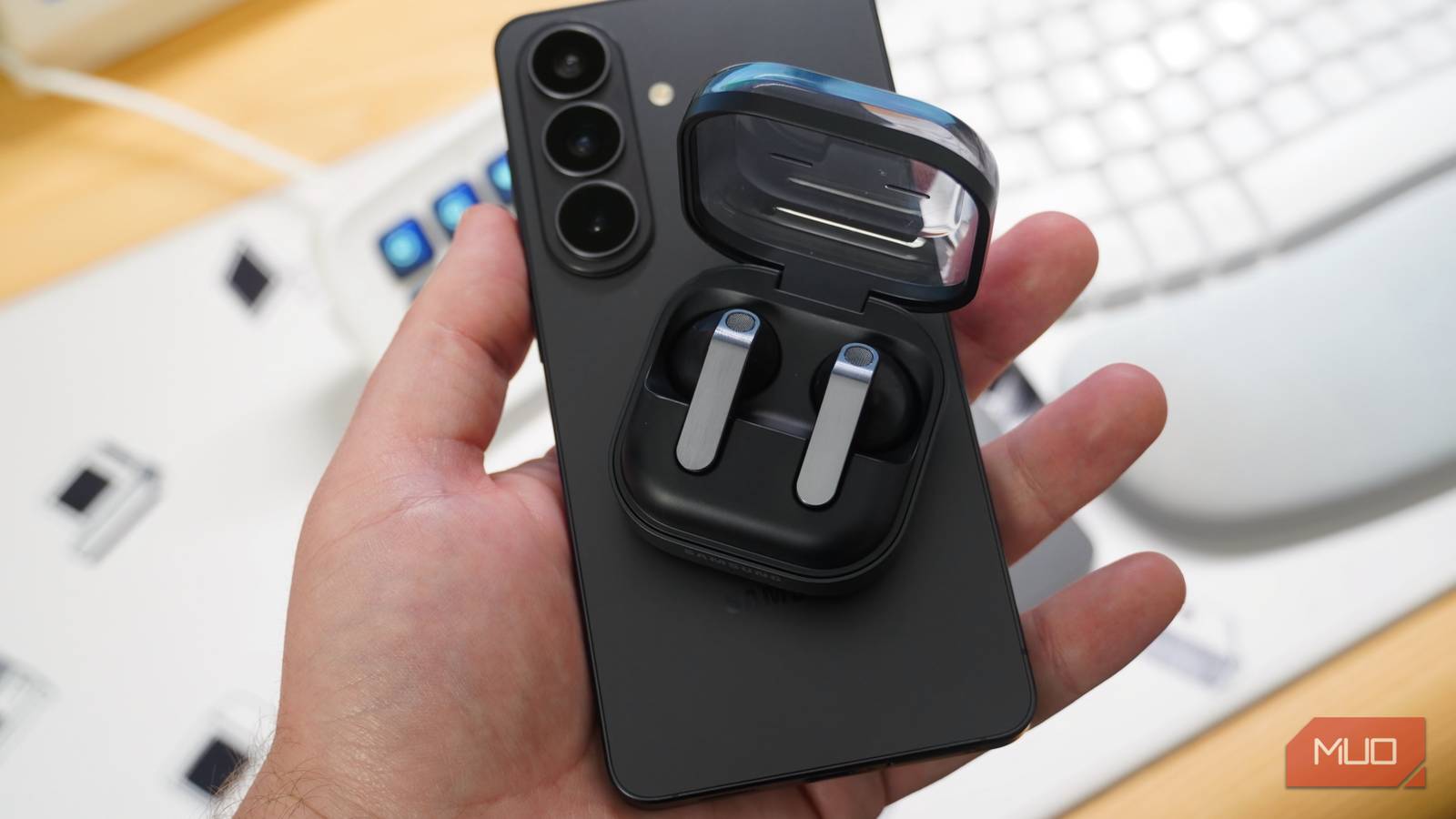
Buying a pair of wireless earbuds usually entails deciding between a legacy audio brand and the company that makes your smartphone. Audio stalwarts like Sony and Bose make compelling offerings, like the Sony WF-1000XM6. However, there’s a major incentive to pick a phone and earbuds from the same company — like an iPhone and AirPods, a Google Pixel and Pixel Buds, or a Samsung Galaxy and Galaxy Buds. When paired together, phones and earbuds made by the same brand offer exclusive features you won’t find if you mix and match.
If you buy a Samsung phone and a pair of Samsung Galaxy Buds, you’ll unlock an extra audio codec: the Samsung Seamless Codec Ultra High Quality (SSC UHQ) codec. This mode isn’t enabled by default, and turning it on requires tapping through multiple settings menus — that’s how most Galaxy users miss it. When you enable it, your Samsung phone and connected Galaxy Buds can stream hi-res audio with a higher sampling rate, bit depth, and bitrate than the default SBC or AAC codecs. This is how it works, how you can enable it, and whether it’s even worth it.
Galaxy devices have a high-res audio codec
If you don’t use it, you’re defaulting to lossy SBC or AAC

Bluetooth audio is inherently lossy and compressed, but there are a few wireless audio codecs that claim to deliver hi-res audio or lossless audio without a cable. The most popular two are Sony’s LDAC and Qualcomm’s aptX suite. Both so-called lossless Bluetooth audio codecs come with caveats. LDAC is the most compatible, supported by a wide range of audio products and host devices, but it tends to stutter or become unreliable at its maximum 990kbps bitrate. aptX Lossless, by comparison, offers the highest maximum bitrate of any Bluetooth audio codec but is rare and only available on a handful of earbuds.
People tend to forget about Samsung’s hi-res audio codec, called the Samsung Scaleable Codec (SSC). It’s a bit confusing, because you have the older Samsung Scaleable Codec and the newer Samsung Seamless Codec built atop it — the latter includes the Ultra High Quality (UHQ) mode for Galaxy phones and Galaxy Buds. This codec supports dynamic bitrate adjustments between 88kbps and 512kbps. That could go higher when using SSC UHQ, as Samsung hasn’t published an official maximum bitrate for that codec.

What we do know is that SSC UHQ supports 24-bit/96kHz audio quality on the Galaxy Buds 3, Galaxy Buds 3 Pro, Galaxy Buds 4, and Galaxy Buds 4 Pro. To use it, you’ll need to connect with a Galaxy S23, Galaxy Z Fold 5, Galaxy Z Flip 5, Galaxy Tab S9, Galaxy Z TriFold, or any newer devices in those lineups. SSC UHQ also requires One UI 6.1.1 or higher.
Since the Galaxy Buds don’t support more compatible hi-res audio codecs like LDAC or LHDC, users are left with the lossy AAC and SBC codecs if they don’t manually make the switch to SSC UHQ. AAC is notoriously unreliable on Android devices, and SBC offers a low bitrate and high compression. As such, SSC UHQ might be the only Bluetooth codec worth using on Galaxy earbuds.

This audio format is actually better than lossless
Lossless formats like ALAC and FLAC grab headlines, but AAC is the best audio format for most everyday listeners.
Pair a Galaxy phone with Galaxy earbuds to use it
UHQ audio isn’t enabled by default, and it only works with Galaxy devices
Switching to the SSC UHQ audio codec is trickier than you might expect. It’s hidden behind multiple pages in the One UI 8.5 Settings app, and you’d probably never encounter it without specifically seeking it out. To find it, pair your Galaxy Buds 3 or Galaxy Buds 4 series earbuds with a supported Samsung phone or tablet and open the Settings app. Here, you’ll need to tap the Galaxy Buds tab that only appears under your Samsung account information when the earbuds are connected.
Tap Sound quality and effects, and you’ll find features like 360 Audio, Loudness normalization, and App sound settings. However, the toggle we’re looking for is under the Advanced quality options tab. Tapping this tab opens a new page with the Ultra High Quality (UHQ) Audio toggle. Flip it to switch from AAC or SBC to SSC UHQ, unlocking better sound.
Samsung does warn that “sound response may lag in some apps” when using the SSC UHQ mode. This isn’t uncommon when using higher-fidelity Bluetooth audio codecs with a more demanding bitrate. Remember that using SSC UHQ will use more battery, so expect a shorter listening time when using hi-res audio playback.
Now, you’re ready to start streaming in hi-res audio — keep in mind you want to play back or stream hi-res source files for the maximum benefit. Playing FLAC files stored on-device or using a hi-res lossless streaming service like Apple Music, Tidal, or Amazon Music Unlimited will yield the best results.

Lossless audio is pointless without these cheap Android accessories
Want to use Apple Music or Spotify’s lossless audio support? You’ll need some extra gear to make the most of it.
Is it really lossless, and can you hear the difference?
No, but that might not matter thanks to the efficiency of SSC

Hi-res audio and lossless audio are commonly confused terms, but they aren’t the same. Hi-res is short for “high-resolution,” and it represents audio sources with a fidelity higher than CD-quality, which is 16-bit/44.1kHz. Samsung’s SSC UHQ listening mode is indeed hi-res audio as it supports 24-bit/96kHz playback. However, lossless playback requires more than a high bit depth and sample rate — it also needs an audio codec with a high enough bitrate to reproduce those hi-res files without compression artifacts or quality loss.
The ideal bitrate for an audio file is determined by multiplying the recording’s bit depth by its sample rate and channel count. So, for a CD-quality file encoded as 16-bit/44.1kHz in stereo, you’d want a bitrate of roughly 1411kbps or higher. There’s a bit more to the story than that, because encoding processes can reduce the ideal bitrate of a file through a process called lossless compression. In other words, the unnecessary or inaudible audio details — usually those beyond the scope of human hearing — are tossed out to create a compressed FLAC or ALAC file that is still “lossless.”
This explains why Bluetooth can’t be truly lossless, even when we’re talking about earbuds like the Galaxy Buds and their UHQ mode. Bluetooth codecs could never play back 24-bit/96kHz audio at the bitrates required to avoid compression. That isn’t necessarily a bad thing, though. Compression is fine if it is “transparent,” which means the audio signal hasn’t been meaningfully altered in a way humans can hear. You can compress 24-bit/96kHz audio using the SSC UHQ codec and still get a transparent listening experience.
To sum up, SSC UHQ on Samsung Galaxy Buds isn’t lossless and not everyone will be able to hear the difference. It’s okay if you don’t, but some people will. Compared to SBC and AAC, using SSC UHQ on the Galaxy Buds 3 and Galaxy Buds 4 series certainly improves quality. If you want better sound, have a hi-res streaming or playback source, and are willing to live with shorter battery life, it’s absolutely worth enabling it.

- IP rating
-
IP57
- Supported codecs
-
AAC, SBC, SSC UHQ
- Spatial Audio
-
Samsung 360 Audio
- Features
-
9-band EQ
- Special feature
-
24-bit/96kHz audio
The Galaxy Buds 4 Pro are Samsung’s latest and best truly-wireless earbuds. They feature a two-way speaker, ANC 2.0, live translation, and hi-res audio support. The Samsung Galaxy Buds 4 Pro work with the Samsung Seamless Codec and its Ultra High Quality mode when paired with a Samsung device.
