

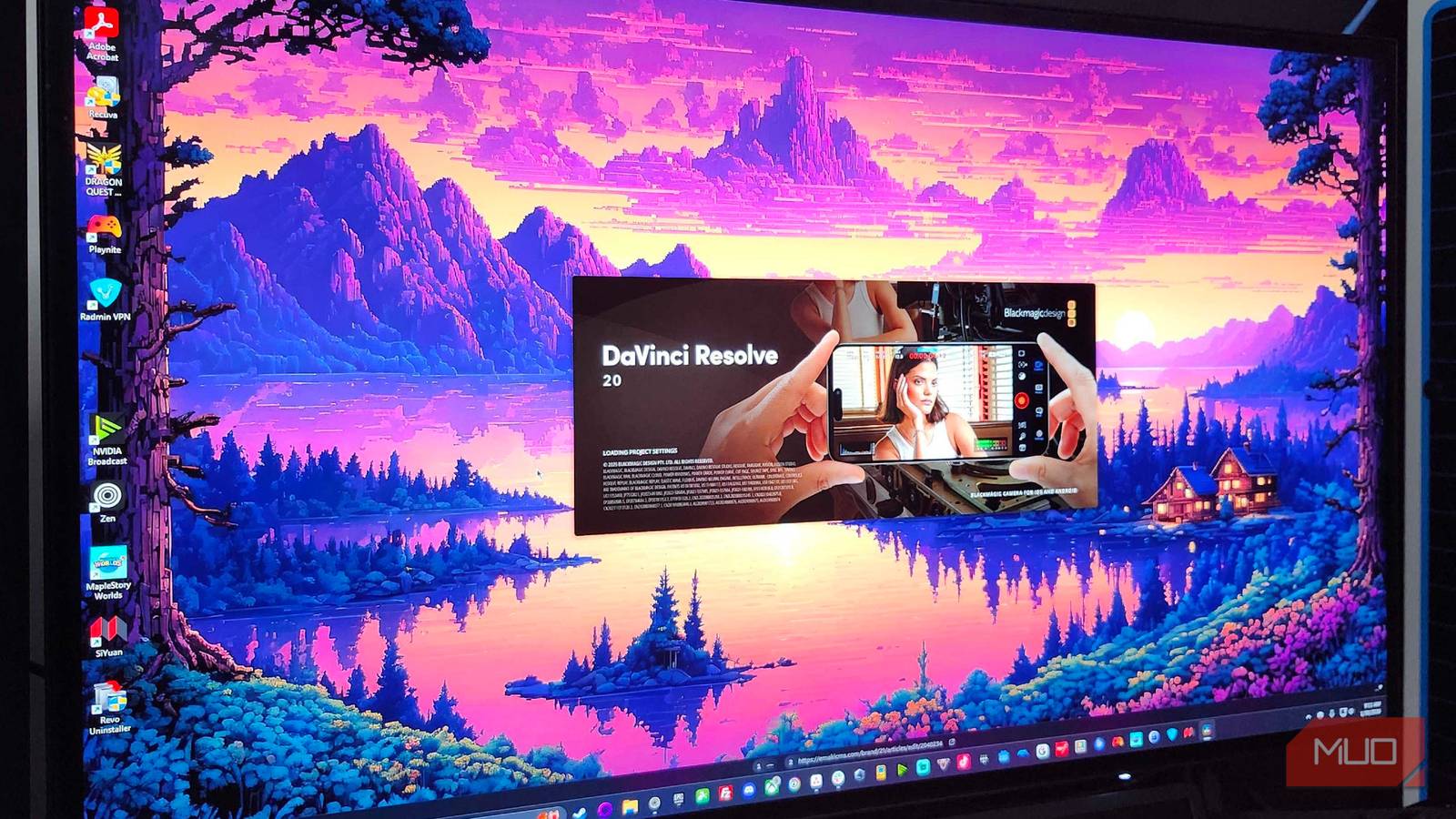
It feels like professional video editing software has been built to keep charging you money while you use it. It is hard to avoid subscriptions, paywalls, and the like. If you want free software, you’re just going to have to deal with a product that is bad or just not up to the standard of professional tools. DaVinci Resolve is one of the few exceptions.
I ditched VLC and finally got high-quality HDR playback without any lag
HDR finally works — no thanks to VLC.
DaVinci Resolve isn’t lying when it claims to be professional quality
It really is Hollywood-level software

Davinci has been around a lot longer than people realize. It emerged in the 2000s as a color-grading tool built specifically for major Hollywood productions. It was expensive, way more than you’d think. It was hundreds of thousands of dollars for the full setup, so only major post-production houses could afford it. Which is why it still sets the standard, beating others like Final Cut Pro.
Blackmagic Design bought it in 2009, and everything changed. Instead of being a niche, high-end color tool, it grew into a full production suite covering editing, audio mixing, and visual effects, all in one application. This was back when the traditional workflow was focused on bouncing files between different programs. Your editor works in one, your colorist in another, your sound designer in a third.
When I was in college, that was still the pipeline taught for animation, so it was a big deal. DaVinci Resolve was a pioneer in putting everything in one place.
DaVinci uses separate pages for separate jobs. If you’ve ever used Blender, then you’ll know the idea behind this. You’ve got the Edit and Cut pages for putting your footage together, the Color page for grading, the Fairlight page for audio, and the Fusion page for visual effects and compositing.
Since they all share the same timeline, you can immediately see how a color grade affects a visual effects shot, or fine-tune your audio while watching the picture. It keeps everything connected in a way that genuinely speeds things up.
That’s not to say that this is better in any way, because there are good reasons why the movie industry works the way it does. The pipeline is important, but this would help with plenty of scenes.
It’s a page-based interface
You’ve got a whole studio in one application
Editors rough out their footage on the Cut page, which is built for fast assembly and multi-camera work, then move onto the Edit page for more precise timeline work. A click further takes you to the Color page, where you get primary color wheels, custom curves, and Power Windows for detailed grading.
When it’s time to handle audio, the Fairlight page opens a digital audio workstation that supports hundreds of tracks, spatial audio mixing, and editing down to the sample level.
So if you’ve got a small project, this is actually perfect because you don’t need to learn how to use more than one app. In Resolve, all of those pages share a single project file and timeline. Trim a clip in the Edit page, and that change shows up instantly in Color, Fairlight, and Fusion; No rendering or file transfers needed.
4K is easier to get here
The software has built-in workarounds for 4k

DaVinci Resolve’s playback engine is pretty good overall, but if you’re editing 4K footage or piling on heavy effects, you’ll need a machine that can handle it. Resolve processes everything through a 32-bit floating-point YRGB pipeline, which is really for precision, but is hard on hardware.
So when you bring in compressed codecs like H.264 or H.265 (HEVC), the software has to decompress and decode them into uncompressed 32-bit float space. Since the free version on Windows relies on your CPU rather than your GPU for this decoding, even standard 4K footage can push an average laptop’s processor past its limits.
The good news is that Resolve has many tools designed to work around exactly this problem. Generating proxy files or enabling smart caching in your project settings can keep playback smooth and prevent your system from crashing.
These features are really what let editors run Resolve comfortably on average hardware without getting stuck on CPU bottlenecks. One of the quickest fixes is to turn on Proxy Mode, which lowers the resolution of Resolve processes across your whole timeline.
That gives you smoother real-time playback without affecting the quality of your final export. If you want something more permanent, you can generate Optimized Media instead, which tells Resolve to transcode your heavier H.264 or RAW clips into low-compression formats like ProRes or DNxHR, which are easier to edit.
The paid version, DaVinci Resolve Studio, costs $295 per year. However, that is for things you likely will never need. It comes with AI-powered noise reduction, stereoscopic 3D grading, cloud collaboration for large studio teams, and hardware-accelerated encoding on Windows. For freelancers, YouTubers, or anyone editing on a decent laptop, the free version covers everything.
It’s not just a “good enough for beginners” kind of free; it’s literally the same software used to cut, grade, and mix plenty of movies. DaVinci Resolve literally gives the same tools Hollywood uses to anyone who wants them; it just holds back the extra stuff, which you very likely will never need.
You can get 4K quality, you just need a computer to match
None of this is to say that Resolve will be perfect on every machine. You need decent hardware to keep 4K playback smooth, and the learning curve is real if you’ve never worked across multiple disciplines in one timeline before. I had to slow down and learn what each page actually does before any of it clicked. That said, once it does click, it’s easier to use than you’d think, and there’s no paywall.

- OS
-
Windows, Linux, macOS, iPadOS
- Developer
-
BlackMagic
DaVinci Resolve is a professional-grade video editing and post-production software.
