

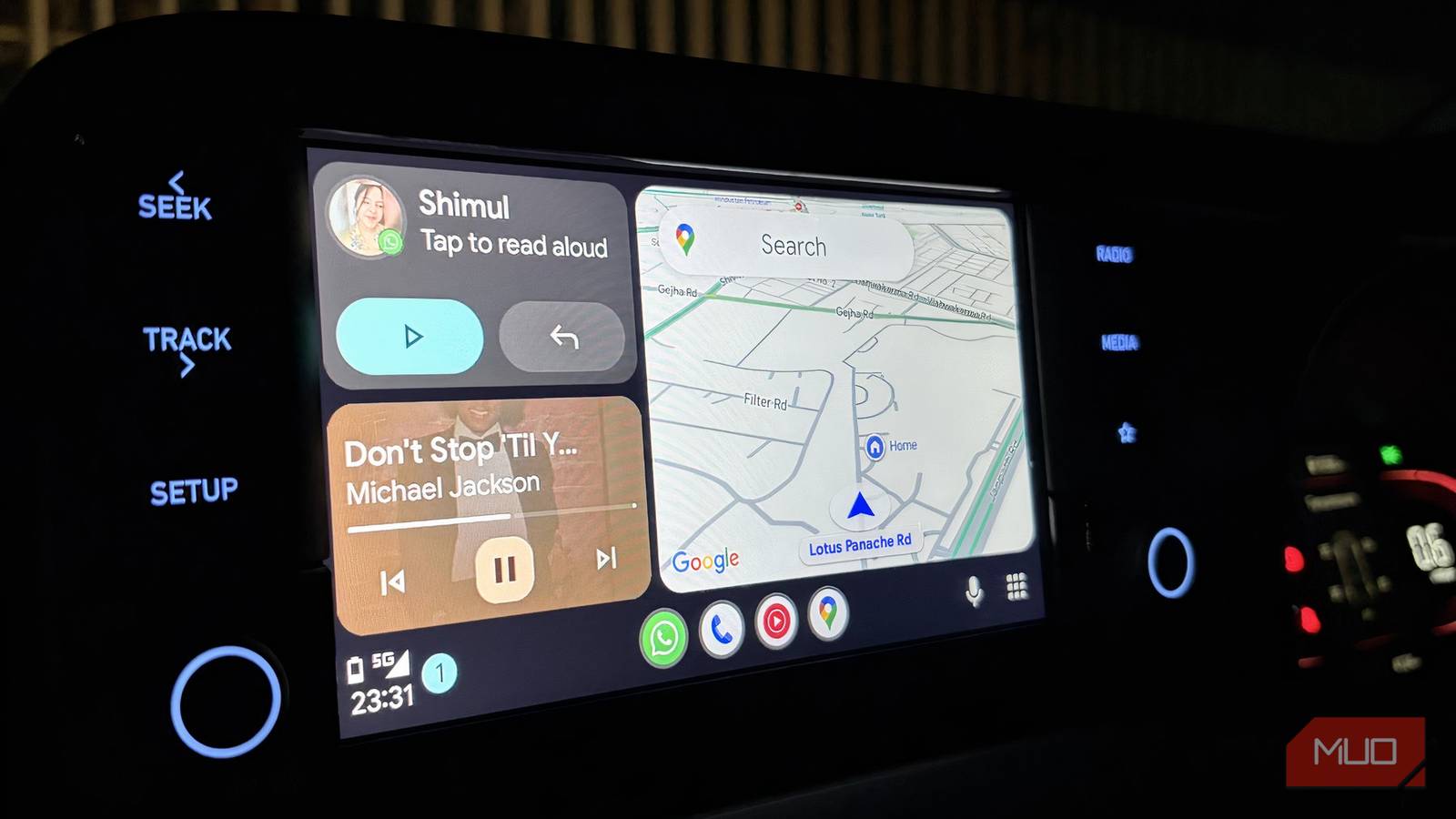
I’ve been using Android Auto for over six months now, and Google Assistant is my go-to for everything. However, I really wanted to try Gemini on Android Auto to see if it improved my driving experience. So, after spending a solid week relying on Gemini consistently, I’ve landed on a clear takeaway: it’s noticeably worse than Google Assistant. And I’m not saying that lightly — I have a few solid reasons for saying that.

Gemini isn’t as useless as it was when you tried it two years ago
AI that I first despised is now my Google Assistant replacement.
A voice assistant that pretends to hear you
But somehow, it still gets it completely wrong

Something as basic as following a simple instruction turned into a bit of a struggle. I’d say, “navigate me to House of Migo on Google Maps,” which is a café right near my place, and Gemini would confidently pull up “House of Mango” instead — a place that doesn’t even exist anywhere around me.
It gets even more frustrating. When I’m driving, the whole point of using a voice assistant is to stay hands-free and focused on the road. I don’t want to double-check my phone, repeat myself, or correct it mid-drive. But with Gemini, that’s exactly what ends up happening. You’re forced to glance at the screen, fix the destination, or just give up and do it manually — which completely defeats the purpose.
I even tried to give it the benefit of the doubt. Maybe “House of Migo” was too tricky to catch, I thought. So I tried a few other places, but the experience didn’t improve. It either misunderstood again or just kept loading without giving me anything useful. At that point, it stops feeling like a one-off mistake and becomes a pattern. And that’s not something you want from a driving companion that’s supposed to make things easier.

- OS
-
Android
- Price model
-
Subscription
Google Gemini is an AI assistant that can understand and generate text, images, code, and more. It’s designed to help people find information, solve problems, and create things more easily.
By the time it listens, I’ve already lost interest
Great intentions, painfully slow execution

When it comes to music in the car, I just open YouTube Music on Android Auto and let it do its thing. It’s usually smooth, quick, and works exactly as you expect. But the moment Gemini comes into the mix, that experience starts to fall apart.
Even something as simple as asking it to change a song takes longer than it should. You say it once, sometimes twice, and then you’re left waiting, unsure if it even picked up the command properly. There’s a noticeable delay before anything happens, and by then, the moment has already passed.
What makes it more disappointing is that I had higher expectations going in. I thought this would be Gemini’s strength — I wanted it to create a playlist for me based on what I usually listen to. And yes, it did eventually create one. But it took so long that I had already reached my destination by the time it was ready. That’s the problem. It’s not just about whether it can do something; it’s about how quickly it does it. When you’re driving, things need to happen instantly. If it can’t keep up in real time, the whole experience ends up feeling frustrating.

These 3 Android Auto features made my car feel like mine
Curiosity and Android Auto are a dangerous combination for me.
Gemini remembers selectively
That’s a little unsettling in the long run

There have been quite a few moments when Gemini tries to be helpful by surfacing events I have lined up for the week. My Android phone already sends me regular notifications for these, so I’m generally on top of things. But when I specifically asked Gemini to walk me through anything important for the week on Android Auto, the experience was frustrating to the core. Sometimes, it will mention a couple of events and completely skip over others that are just as important. It doesn’t happen all the time, but it has happened often enough for me to notice a pattern and, more importantly, to stop fully relying on it.
Because of that, I’ve gotten into the habit of double-checking my calendar myself. Doing this gives me peace of mind. At this point, I don’t quite trust it to catch everything, and missing something important just isn’t a risk I’m willing to take.
Everything is set up right
Yet Gemini still has commitment issues

I can already imagine the obvious question: Am I even using Gemini properly on Android Auto? That was honestly the first thing I checked when things started going wrong. I went back and made sure Gemini was set as the default digital assistant on Android Auto. Everything looked exactly as it should. It was all set up perfectly.
Thinking it might just be a temporary glitch, I tried the usual fixes. I cleared the Gemini app’s cache, restarted everything, and even followed a few online suggestions that promised a quick fix. For a moment, it felt like something might improve, but in actual day-to-day use, nothing really changed. So, it’s not like I skipped a step or set it up incorrectly. I’ve done everything most people would try, and the experience still feels inconsistent.

- OS
-
Android
- Price model
-
Free
Android Auto is an Android-only app that mirrors your phone onto your car’s infotainment display with a simplified, driving-optimised interface. Supports Google Maps, Waze, music and podcast apps, hands-free calls, messaging, and Google Assistant voice control. Requires a compatible vehicle and Android 8.0 or later.
Gemini wanted to drive, but kept asking for directions
So, a week with Gemini on Android Auto felt like I had to constantly babysit it. There were moments when it misheard simple commands, took longer than expected to respond, or missed details I assumed it would catch. None of this is ideal when you’re driving and just want things to work without a second thought. I made sure everything on my end was set up correctly, so it wasn’t a user error. And that’s what made the experience stand out more. Even when you do things right, you still find yourself repeating commands or double-checking if you got something right.
In comparison, Google Assistant feels much more dependable in this setting. It understands you quicker, responds more consistently, and doesn’t make you think twice while using it. Gemini, at least right now, feels like it’s still getting used to the role, and I’m not quite ready to put in that time.
