

Google Discover is one of the better things Google has built. It’s the personalized news feed that learns what you care about and shows you relevant stories, delivered to your smartphone with a single swipe (or in Chrome on Android).
But for reasons Google refuses to really elaborate on, it has never brought Discover to desktops. Now, that is set to change, but Google is also keeping tight-lipped about when that change might come.
So, in the meantime, you can build your own Discover feed of sorts with a couple of Chrome extensions, sometimes with the page inspection tool, and a little troubleshooting. Thankfully for you, I’ve already done most of the troubleshooting, so it’s on to making your Chrome new tab into something like Google Discover.

I found an Android browser that runs Chrome extensions — and I don’t get why it’s not popular
It’s strange seeing my favorite extensions running on mobile.
How I turned my new tab into a Google Discover-style feed
Only takes a few minutes

To make this work, we’re repurposing Google News and making some customizations to how the page loads with AdGuard, a free extension for Google Chrome. This extension is better known for its ability to block scripts and ads from loading, but you can also use it to remove page elements and force your page to load where you want.
You just have to know the elements you’re trying to avoid and what you actually want to load.
So, before proceeding, you’ll need to download the AdGuard Chrome extension, plus the Custom New Tab extension, which, as per the name, let you customize your new tab when it opens.
Set Up Custom New Tab

This is the easiest part of the process. Once you have Custom New Tab installed, head to the extension’s options, where you can add your new custom tab.
In this case, I’m using Custom New Tab to open Google News, but you can set it to open Claude, a note-taking extension, your favorite tech site (like MakeUseOf!), or even to a local file path for a dashboard or similar.
But on this occasion, pop https://news.google.com/home into the Set New Tab URL bar and press Save.
You’ll need to be signed into your Google Account for this to work, as it grabs your interests from your account and tracks relatively similar to your existing Discover feed.
Strip down the Google News page with AdGuard

This bit took me a bit of experimenting to find the right combination of page elements. I’ve now tried this on my desktop and two laptops, so I’m confident it should work on your machine, too.
So, your Google News page is broken into different sections:
- Your briefing, which gives you a top review of the breaking news,
- For you, which gives you four or six specific stories relating to content you’ve viewed, and
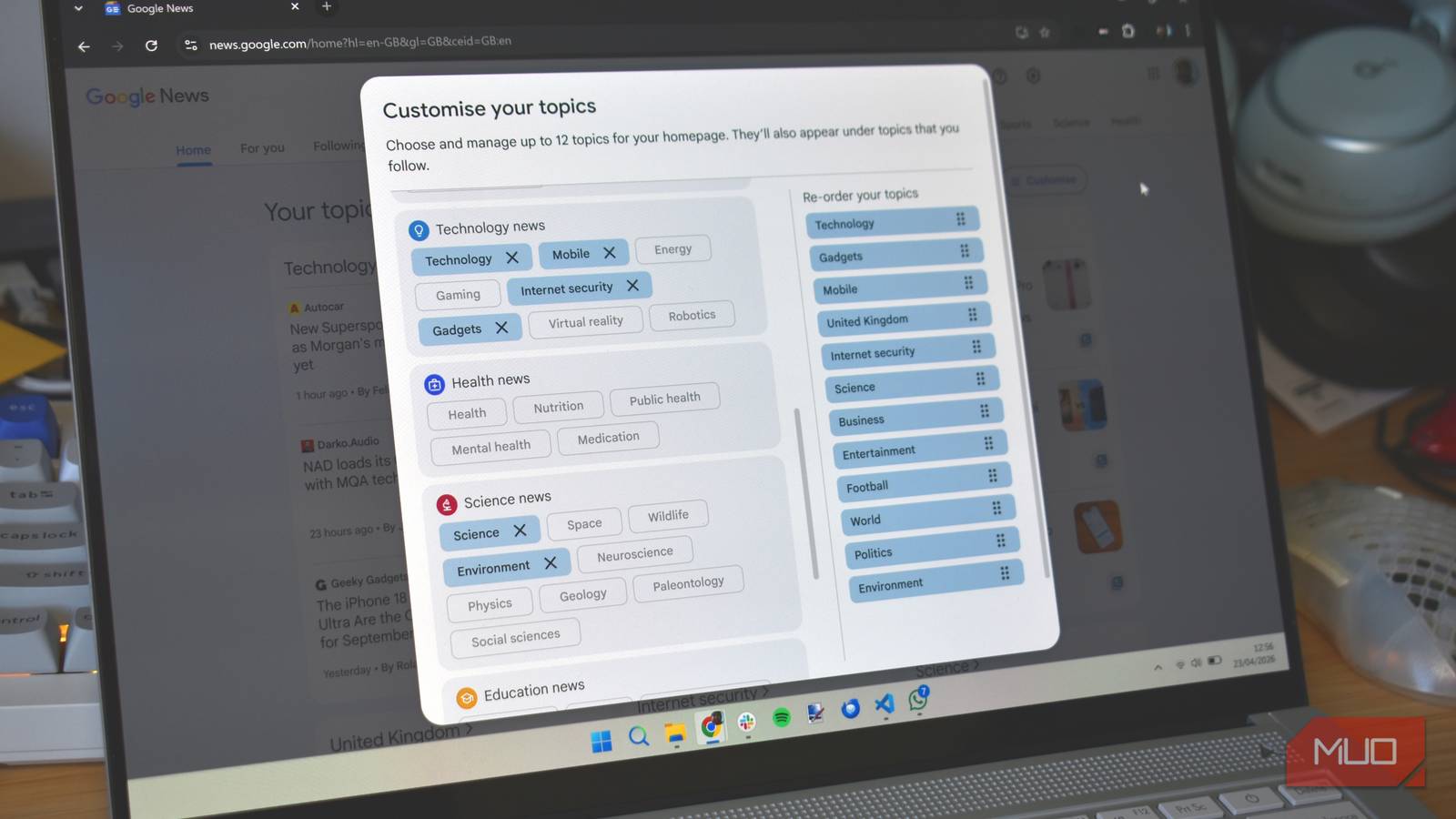
- Your topics, which is the customizable multi-panel area at the bottom of the page.
As Your topics are customizable, they make a good option for this Google Discover custom new tab, so that’s what we’ll focus on.
- Right-click the AdGuard extension icon and select Options
- Select User rules from the menu
-
Paste the following into the box:
-
news.google.com##section.GTpP4b -
news.google.com##section:has(h2:has-text(For you)) -
news.google.com##section.XhbDsd -
news.google.com##section:has(h1:has-text(Your briefing))
-
- Now, hit Save.
A word on how these work: the :has-text() rules target sections by their visible heading text, which is reliable. The class-based rules (GTpP4b, XhbDsd) target specific page elements by Google’s internal class names, which are obfuscated and can change when Google updates the page. If the rules stop working after a Google News update, the class-based ones are the likely culprit — the text-based rules should hold up longer.
If a section isn’t being hidden, right-click it, inspect the element, find the parent section tag and its class, then add a rule in the format news.google.com##section.CLASSNAME. That’s the process that got this working.
Don’t forget to actually set Your topics to make the feed feel more personal and attuned to the news and other content you want to see more of.
A note on compatibility
I built these rules based on the AdGuard Chrome extension, using the UK version of Google News. I’ve switched on NordVPN and CyberGhost set to USA servers, and everything kept working just fine, even after closing and reopening Chrome, but you may need to check the class names match.

I changed how I search on Google, and it actually works better now
These simple search tweaks helped me get better results without ditching Google.
It’s Google Discover on your desktop!
Well, until Google brings something better
At the end of the process, you should end up with a custom new tab that opens to Google News, stripped back to Your topics, making it feel a bit like Discover on your desktop.
It’s not ideal, I’ll admit. But it does save picking up your phone and getting distracted by everything else on it, which, as we all know, is a concentration killer and absolute time sink.
