

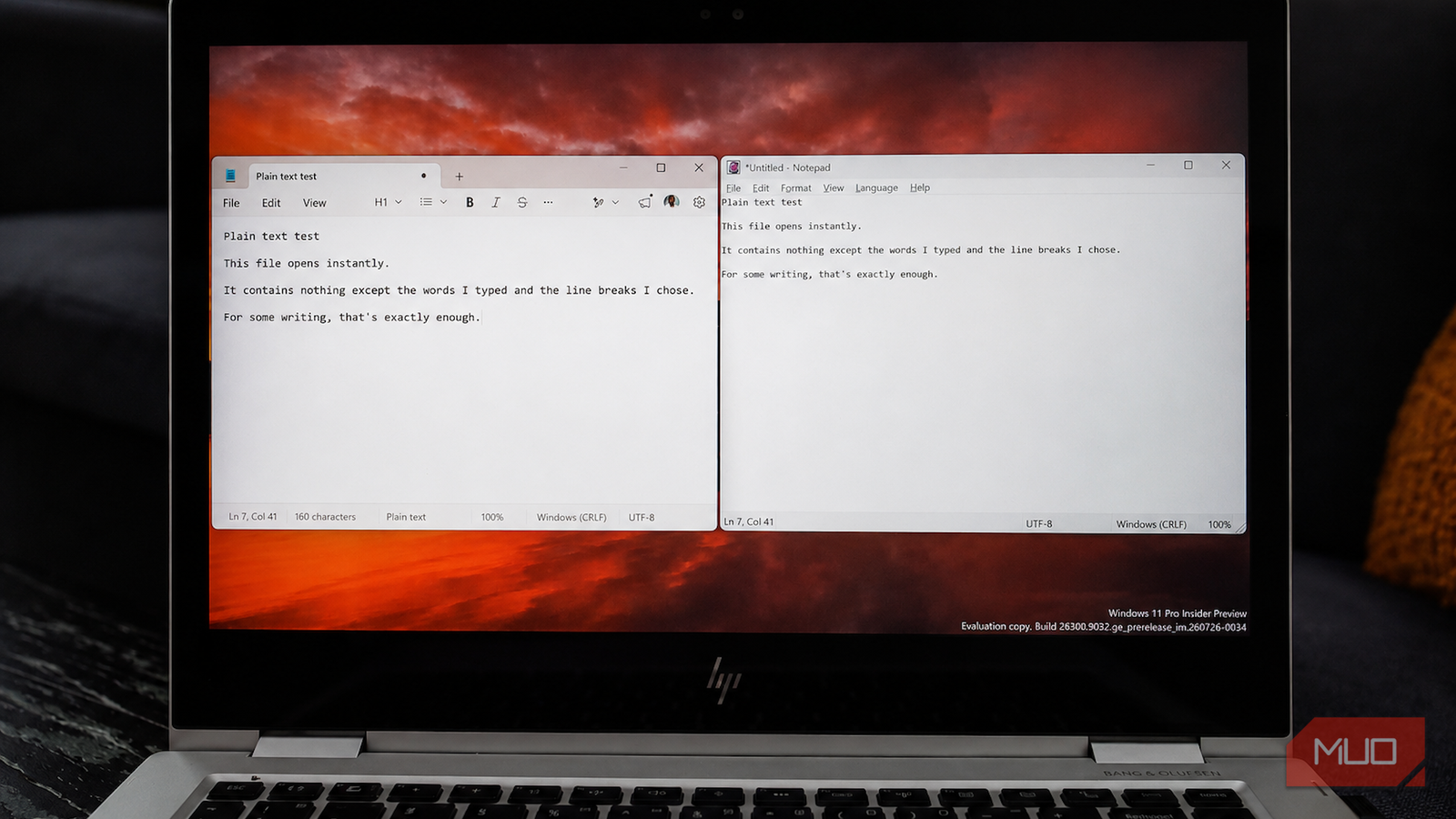
For decades, Notepad was one of the few Windows apps that demanded almost nothing from you. You opened it, typed, saved the file, and closed it. There was little formatting, no cloud accounts to sign in to, and no crowded toolbar competing with whatever you were trying to write. Its limited feature set was part of the appeal.
As Microsoft gradually added more features, including AI tools, that simplicity began to change. A developer known as ForLoopCodes responded by rebuilding the app from scratch in C++ using the Win32 API. The project’s README states the motivation more bluntly, arguing that Microsoft “won’t stop adding AI bloatware to notepad.exe.”
The result is Legacy Notepad, an open-source text editor built to preserve the straightforward writing experience that Microsoft’s version has gradually moved away from.
Notepad’s AI features arrived in stages and stayed
Copilot lost its icon, but the features didn’t go anywhere

I should probably lay out the timeline, because it explains exactly what this fork is reacting to. Microsoft gradually turned Notepad into an AI-assisted writing tool, beginning with Rewrite for Windows Insiders in November 2024, followed by Summarize in March 2025 and Write that May. These cloud-based features require a Microsoft account and draw from a monthly allocation of AI credits.

By spring 2026, Microsoft had replaced Notepad’s generic Copilot icon with a clearer Writing Tools label. The change made the toolbar entry less overtly Copilot-branded, but it did not remove the underlying AI features. Microsoft does let users disable Notepad’s AI features through the app’s settings, so Legacy Notepad is not the only route to an AI-free blank page.
The difference is that Legacy Notepad has nothing to disable. Its appeal is not simply that Microsoft added a feature some users dislike. It is that the fork entirely omits AI tools, account requirements, tabs, restored sessions, and other additions, returning to an editor built around opening one document and writing in it.
It’s Notepad, rebuilt from nothing, on purpose
Win32 and RichEdit keep it close to home
Legacy Notepad is not a theme or registry tweak layered over Microsoft’s app. It is a fresh C++17 codebase built directly against the Win32 API and the RichEdit 4.1 control, which belongs to the same broad family of native Windows text controls used by Microsoft’s own Notepad. GDI+ handles the optional background rendering.
The build I downloaded follows the editing model I associate with classic Notepad. It opens one document at a time, with a conventional menu bar above a large text area. The File and Edit menus cover the expected save, print, search, replace, navigation, and selection commands, while Format and View contain word wrap, fonts, zoom, the status bar, dark mode, transparency, and always-on-top behavior.
The omissions shape the experience more than the additions. The window drops the tab strip and AI controls, never asks for an account, and displays plain text without a Markdown rendering layer. Legacy Notepad also leaves out spell-checking, autocorrect, auto-saving unsaved sessions, and session restoration. Closing a document, therefore, carries the same responsibility as it did in classic Notepad. You either save the file deliberately or accept that it is gone.
Multi-encoding support covers UTF-8, UTF-8 with BOM, UTF-16 in both byte orders, and ANSI, with line-ending selection available alongside them. The window can be pinned above other applications, and printing works through conventional print and page setup dialogs.
A few options go beyond nostalgia and into personal taste. You can place a background image behind the text, adjust its fit and visibility, or replace the application icon with an icon stored in an ICO, EXE, DLL, or ICL file. They are hardly essential features, but they give the editor some personality without changing its basic writing model.
What you’re trading for the control
A small project, a Defender warning, and a Windows-only build

This is a young, maintainer-led project rather than a default application tested and maintained at Microsoft’s scale. It has received outside contributions and a healthy amount of attention, but inevitably has a much smaller testing surface.
One repository issue documents Windows Defender flagging an x86 build of legacy-notepad.exe. Antivirus false positives can happen, but that report should not automatically be treated as either proof of malware or a confirmed harmless detection. Verifying the published SHA-256 hash only confirms that the file matches the one released by the developer.
Later releases added signing and separate hashes for each architecture, so if you’re downloading the app, you should use the latest release, compare its SHA-256 hash with the value published by the developer, and make your own assessment before running it.

Legacy Notepad is Windows-only because it is built directly against the Win32 API. The project warns that Wine and Proton compatibility remains unverified and should be attempted at your own risk. Building it yourself requires CMake and either MinGW-w64 or MSVC, although prebuilt releases spare most people that step. Its MIT license also makes the source code open to anyone who wants to inspect, modify, or fork it.
Sometimes less really is the feature
Legacy Notepad is not the only way to keep AI out of Notepad. Microsoft lets you disable its writing tools, which will probably be enough if you still want modern Notepad’s tabs, autosave, session recovery, and other conveniences.
This fork is for people who want the older editing model back in full and accept the compromises that come with it. You get one document at a time, deliberate saving, a conventional Windows interface, and a codebase small enough to inspect. In return, you give up automatic recovery, modern writing assistance, and the reassurance that comes with a heavily tested Microsoft application.
Sometimes the answer to software creep is not another toggle. It is an editor that never adopted the feature in the first place.
