

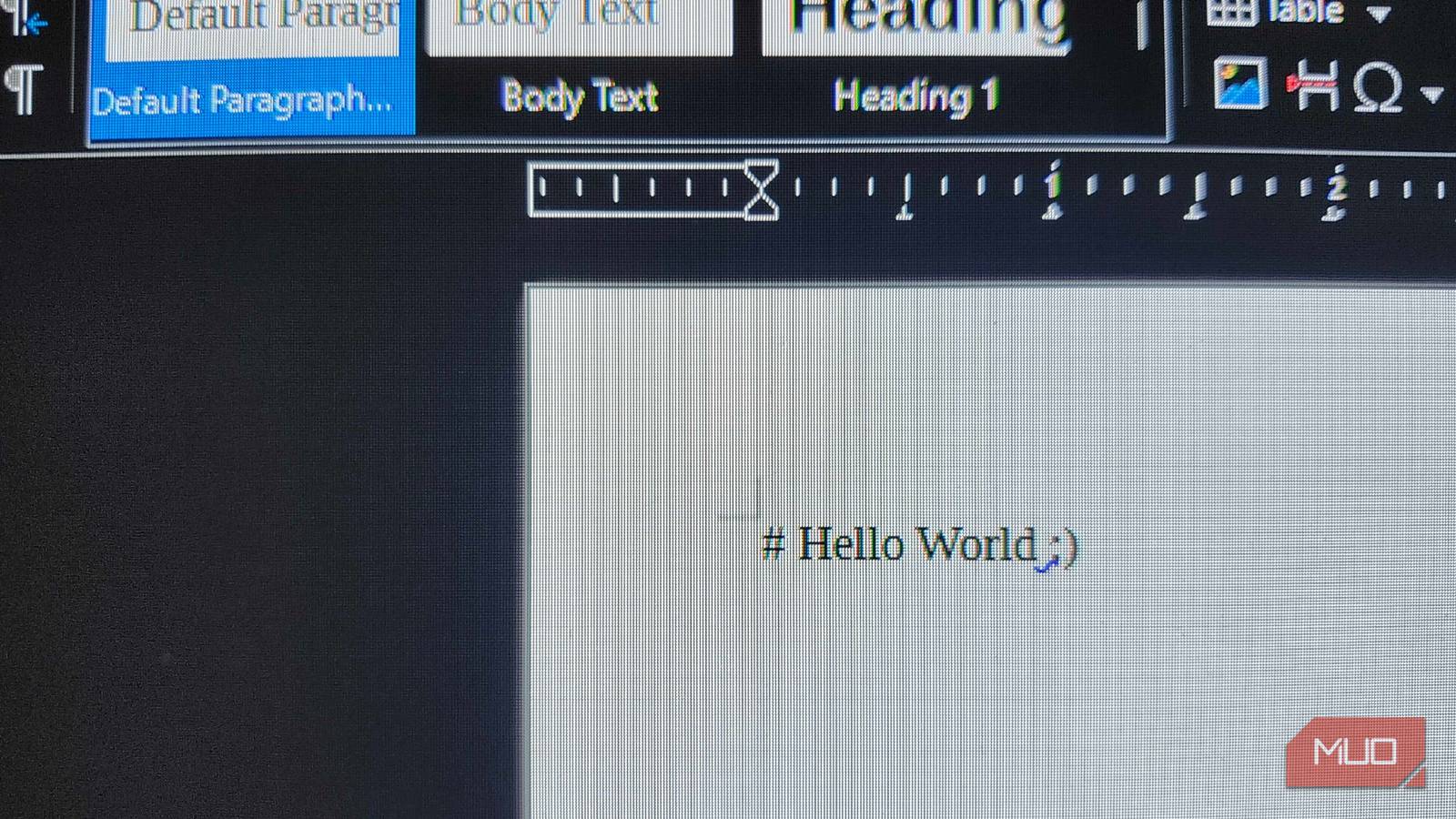
When it comes to replacing Microsoft Office on any device, there are plenty of fantastic open-source alternatives that can do the same job for no cost. But if I had to recommend one to anyone, I would tend to recommend LibreOffice. It’s very polished and feels very similar to Microsoft Office, especially if you turn on the Ribbon-styled UI. But the recent LibreOffice 26.2 update added something I didn’t realize I needed until I started using it: Markdown support.
If you’ve ever used Markdown in the past, you’ll know exactly why this is such a great feature. If you’ve ever sent a customized message in Discord, you’ve already used Markdown, and now you can implement those same stylistic choices in your favorite word processor. Best part? It doesn’t cost a dime.

I use Markdown instead of PowerPoint to make slideshows and it’s fantastic
Markdown slides feel like cheating in the best way.
Markdown style-mapping via Templates
Create it in LibreOffice, and open it anywhere with Markdown support

If you already knew the proper Markdown syntax, you could have technically written in Markdown formatting before. But now, LibreOffice allows users to export their Word documents as proper Markdown files. Create something in Markdown, use it with Obsidian, or even vice versa. Seeing as Markdown has quick and simple formatting options, like ## for Heading 2 or **for bold**, this format is easily accessible across a variety of different platforms. It also supports ODT/DOCX templates during the import/export process, so you can submit them looking proper instead of having a ton of Markdown formatting scattered throughout the page.
For those who have used programs like WordPress or even Discord and Reddit in the past, you’ve likely used some form of Markdown already. And for people who are writing longer notes and documents, Markdown is one of the fastest and most effective ways to keep your formatting looking great. If you’ve never used Markdown before, these are some of the most common formatting elements you can use:
|
Style |
Syntax |
Result |
|---|---|---|
|
Header 1 |
# Title |
Largest Title |
|
Header 2 |
## Section |
Section Header |
|
Bold |
**Text** |
Bold Text |
|
Italic |
*Text* |
Italic Text |
|
Bullet List |
– Item |
• Bullet Point |
|
Numbered List |
1. Item |
1. Numbered Item |
|
Hyperlink |
[Label](URL) |
Linked Text |
|
Blockquote |
> Text |
Indented Quote |
|
Divider |
— |
Horizontal Separator |
Using LibreOffice and Markdown can make beautiful documents
Depending on how you’re planning on using Markdown, there are plenty of ways that Metadata can come into play. In the past, I’ve used WordPress to write different articles for different sites, and it was one of the easiest ways to properly format an article before sending it off to an editor. With LibreOffice utilizing the CommonMark standard, files will look the same regardless of whether you’re opening them in a code editor or a personal knowledge base like Obsidian.
If you write something in a Markdown-enabled space, such as LibreOffice Writer, you can include additional Metadata information that can automatically fill in slugs, URLs, SEO descriptions, and more. Obsidian can also utilize this in many different ways. I can create a structured Map of Content within a journal, and if I’m working on something like trying to translate a copy of a Japanese video game into English for a quick, at-a-glance guide for myself, I can use Markdown Metadata to set shortcuts, dashboards, and more. This is a bit more complex, but if you’re working on a massive project, it can be a lifesaver.
Paste Special works wonders
Ctrl + Shift + V does much more than you may expect

Paste Special is an amazing thing for Markdown users. Everybody and their mother knows that Ctrl+V is Paste. This keeps your regular formatting, all of your hyperlinks, and everything exactly as they were before. Using Special Paste, on the other hand, lets users select Markdown, and it pastes the data with the proper formatting. Rather than just taking a “snapshot” of the original copy, Paste Special will deconstruct it and put things in properly. With native clipboard recognition, it’s beautiful for those parsing through code or anything in between.
It’s going to look a little weird at first, especially since there is no WYSIWYG available in LibreOffice Writer at this point. All of those extra formatting bits are going to stick out like a sore thumb, but as you get more accustomed to how Markdown functions, and when you save it and see the magic happen in real time after opening it elsewhere, you’ll understand why Paste Special is an excellent tool to have. For things like YAML or code, using Paste Special as “Unformatted Text” will ensure that the spaces and dashes aren’t auto-corrected into something that breaks your script when you try to run it.
Waiting for a live preview option
There is no What You See Is What You Get mode yet

This is going to be the most interesting part for many different people. When you’re using something like Microsoft Word or Google Docs, you’ll see the formatting changes as soon as you use them. When it comes to Markdown in LibreOffice Writer, at least as of the time of this writing, things are going to look a little more complex and convoluted. Instead of seeing things like this, you’re going to **see things like this** until you export the file and open it where Markdown can utilize this formatting properly.
One of my favorite note takers, SiYuan Note, utilizes Markdown in a block-based editor and instantly shows the formatting details as soon as you input what you need. Seeing as this feature is rather new in LibreOffice, there’s a chance we may get something similar to this in the future. At least, I can only hope for it, as I love seeing my formatting instantly take place, but I’m getting used to seeing these extra bits of info on my screen.

- OS
-
Linux, Android, Windows, macOS
- Developer
-
LibreOffice
- Price model
-
Free (open-source)
Don’t be afraid to give Markdown a try
It takes a bit to get used to, but you’ll find it’s much easier than expected
Markdown is one of the best parts of my writing and editing journey. Plus, seeing how it’s supported across different programs like Discord and Reddit, I can apply my technical knowledge to a bevvy of other websites and applications. When I first started messing with Markdown, I thought it was going to take me forever to learn. Now? I can’t imagine working without it.
It may take some time to get those familiar keyboard shortcuts out of your memory. Even if you find yourself reaching for CTRL + B in the future, you may find that **things are brighter on this side of the fence**.
