

Remember way back, when Microsoft first announced that Windows 11 required something called TPM 2.0? I sure remember the collective outrage from the tech community.
But not really because people felt particularly strongly about Trusted Platform Modules. That would be somewhat odd. It was more directed at Microsoft suddenly deciding that its new operating system needed this technology that no one had ever heard of, and the company’s explanation was, “You need this.”
It wasn’t a great message, and it still isn’t brilliant now, because TPM is doing way more on your system than you really know — and it’s a lot more interesting than Microsoft had us believe.
Microsoft just gave us another great reason to switch to Linux
Handing over BitLocker keys has to be the final straw.
Microsoft did a terrible job explaining what TPM actually is
Which is a shame, because it’s doing a lot

The Windows 11 rollout framed TPM 2.0 as a compliance requirement. To most folks, TPM was a box to tick or the seemingly arbitrary hardware threshold Microsoft decided on… which meant loads of functional machines would be heading for the scrap heap.
Trusted Platform Modules have been lurking on your motherboard for years. TPM is a dedicated security chip that’s either baked into your motherboard firmware (fTPM) or a specific module, and its main role is to handle cryptographic operations on your computer, but separately from your CPU and operating system.
I mean, the TPM and your operating system interact, as that’s part of the point of it existing, but the TPM gives a separate, secure module for encryption keys, authentication credentials, platform integrity checks, and more (like Windows Hello). It also means this extremely important and highly sensitive data isn’t just floating around in your computer memory, which could be dangerous and susceptible to attack.
TPM 1.2 vs. TPM 2.0
The Windows 11 TPM fuss was made more frustrating by Microsoft’s terrible communication. Loads of the so-called “incompatible” machines did have TPM, but an older version: TPM 1.2. Microsoft just wanted Windows 11 to use the newer version, TPM 2.0, which brings stronger, more modern cryptographic algorithms and a more flexible design.
|
TPM 1.2 |
TPM 2.0 |
|
|---|---|---|
|
Released |
2005 |
2014 (updated since) |
|
Cryptographic algorithms |
SHA-1, RSA — now aging |
SHA-256 and newer, plus elliptic curve |
|
Algorithm flexibility |
Fixed set, hard to update |
Algorithm-agile — can adapt over time |
|
Windows 11 support |
Not sufficient on its own |
Required minimum |
|
Found in |
Older pre-2016ish machines |
Modern CPUs, often as firmware fTPM. Also as decidated module on motherboard |
It basically meant that huge numbers of people were told that their slightly older Windows 10 machine wasn’t fit for purpose, when in reality, it was more that “your security chip is slightly too old.” It’s a big difference.
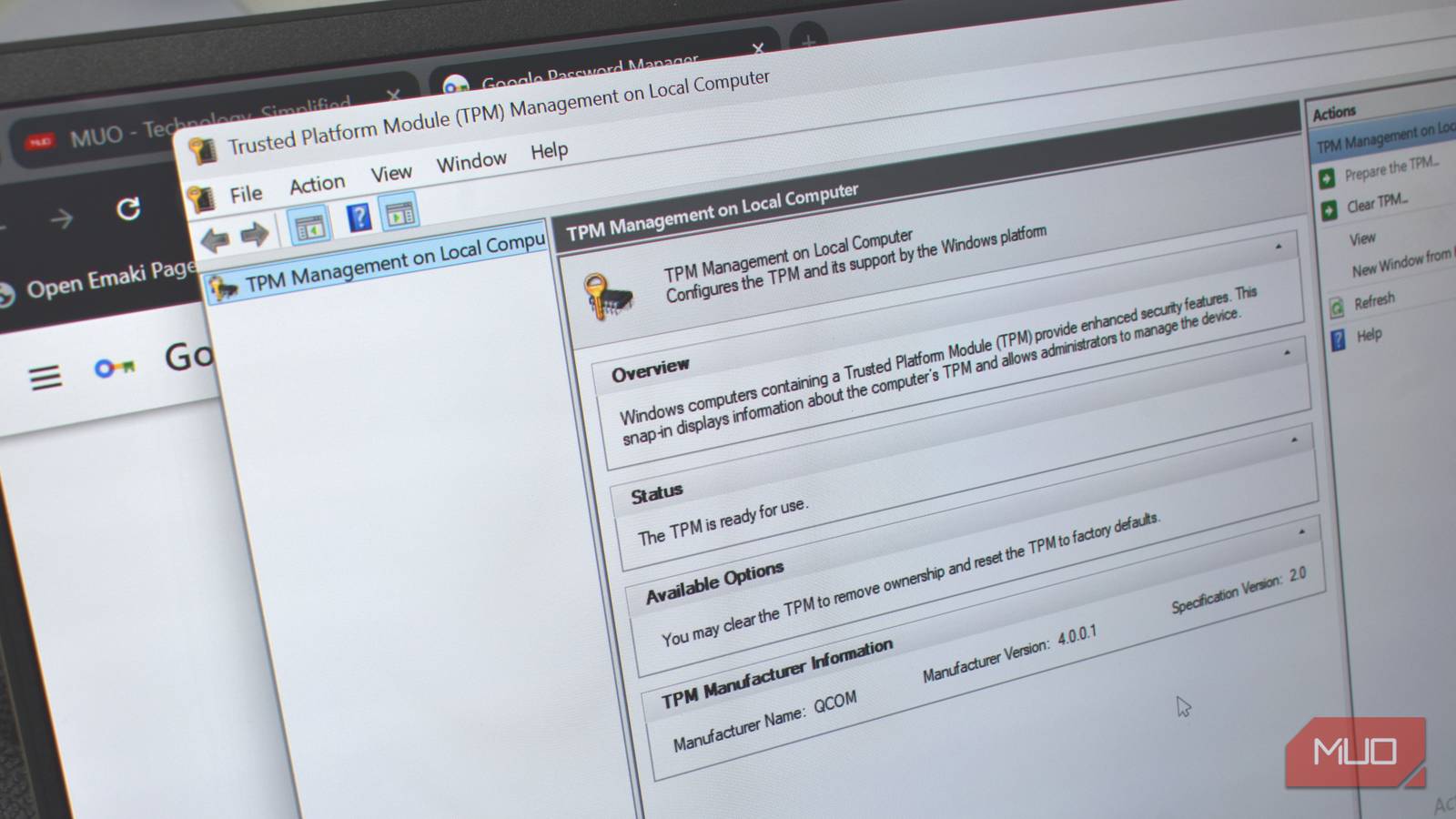
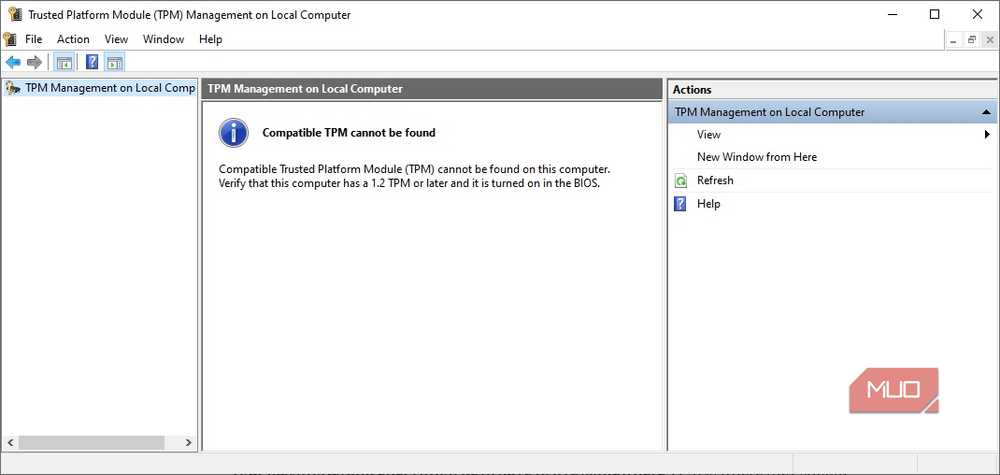
If you’re not sure what you’ve got, it takes about ten seconds to find out. Hit Win + R, type tpm.msc, and press Enter. The window that opens tells you whether a TPM is present and which spec version it’s running.
Your passwords and encryption keys have to live somewhere
Why not TPM?
Here’s the thing most people don’t think about when they switch on BitLocker or enable Windows Hello: those features don’t just work by magic. I mean, it feels like magic, but it’s all system encryption. They need somewhere to store cryptographic keys — and where those keys live makes an enormous difference to how secure they actually are.
BitLocker still works without TPM, let’s be clear. However, BitLocker stores its encryption key in software, which means it can potentially be extracted from memory by an attacker with access to your machine and enough skills.
TPM makes a difference here because instead of using a software implementation, BitLocker stores the key in the chip itself, which makes it much more difficult to extract. Not to mention that in both cases, the attacker needs access to your machine, making it more difficult overall.
That means that data is locked to the TPM chip and can’t be swapped out.
It’s also the reason Windows Hello actually works
Much more secure than you realize

For a long time, I actually thought that Windows Hello was a convenience feature for faster logins, with a little security sprinkled on top. But it turns out I was completely wrong on that front, and Windows Hello is a much more secure system than I’d given it credit.
My main argument against Hello was that a basic, four to six-digit PIN feels more unsafe than a complex password. In terms of general security practices, it is; you wouldn’t secure your email with 123456, that’s for sure.
But the difference with Windows Hello is that because the PIN is bound to the TPM, it cannot be used on any other device. It’s locked into your machine, into that hardware, which means that even if someone managed to steal it or you were phished, they couldn’t swap it to another machine and log into your Microsoft Account.
Why Windows Secure Boot can be bypassed so easily (and what Microsoft isn’t telling you)
Secure Boot was once considered an unbreakable force protecting your PC. Now, it’s vulnerable, and there’s not an easy way to fix it.
This all feels invisible for a good reason
But check that it’s turned on!
It’s working, that’s why. When a feature like the Trusted Module Platform works, everything falls in line nicely, and everything ticks along without issue.
There are other reasons, too. For example, TPM doesn’t have a friendly dashboard where you can check out what data it’s currently holding, and you don’t really specifically interact with TPM, at least not outside of turning on Windows Hello or switching on BitLocker.
In that, I can understand why Microsoft didn’t really bother explaining all that much about TPM to begin with. It’s something that lives in the background, doesn’t require upkeep, and just does its job. Unfortunately, that’s what led to TPM being reframed as a super-suspicious inconvenience designed to push people toward more expensive new PCs and laptops that were compatible, especially after it emerged that Windows 11 runs perfectly well without TPM 2.0.
And to be fair, some of what TPM can do isn’t really aimed at folks like us at all. Features like measured boot, where a server interrogates your boot log and decides whether your machine is healthy enough to touch sensitive data, are enterprise territory. But the BitLocker and Windows Hello side alone is worth far more than most people give TPM credit for.

- OS
-
Windows
- Minimum CPU Specs
-
1Ghz/2 Cores
- Minimum RAM Specs
-
4GB RAM
- Software Version
-
24H2
